Table of Contents
ToggleA standing desk isn’t just another office gadget, it’s a practical investment in productivity and long-term health. Whether someone spends eight hours a day hunched over a traditional desk or needs to alternate between sitting and standing, finding the right standing desk Amazon offers has become easier than ever. With hundreds of options ranging from budget-friendly manual models to high-tech electric desks with memory presets, the platform provides genuine choice. This guide cuts through the noise to help DIYers and remote workers select a standing desk that actually fits their space, body, and budget without very costly or wasting weeks researching specs.
Key Takeaways
- An Amazon standing desk offers hundreds of options from budget manual models to premium electric desks, with transparent customer reviews and fast delivery making it easier to find the right fit for your workspace.
- Height range between 28–48 inches and a weight capacity of at least 150 pounds are critical specifications; dual-motor frames with crossbars provide superior stability compared to single-motor designs.
- Electric standing desks in the $500–$700 range justify their cost through increased usage and movement frequency, while manual desks work fine for users adjusting height only once or twice daily.
- Measure your desktop depth (aim for 28+ inches) and width (40–60 inches depending on workload), verify doorway clearance, and factor in 45–90 minutes for assembly with basic tools.
- The $300–$600 budget tier offers the best value for most remote workers, with reliable brands like Flexispot and ApexDesk delivering solid frames, dual motors, and durability without premium pricing.
Why Amazon Is Your Best Destination for Standing Desks
Amazon has become the go-to marketplace for standing desk shopping because the selection, logistics, and customer feedback work in the buyer’s favor. Unlike specialty furniture retailers with limited stock, Amazon stocks dozens of brands and configurations, everything from compact sit-stand converters to full motorized desks with advanced features. Same-day or next-day delivery in many areas means someone can order Monday morning and set up by Tuesday, which beats waiting weeks for a custom order.
The real advantage is transparency. Customer reviews, photos, and unboxing videos from actual buyers reveal what works and what doesn’t, and more importantly, why. Someone can read fifty reviews, see real assembly photos, and spot common issues (wobbly legs, uneven height adjustment, noise) before spending money. Return policies are generous, which removes the risk from trying something unfamiliar. For DIYers accustomed to researching materials before a project, this level of real-world feedback is invaluable.
Key Features to Look for in a Quality Standing Desk
Not all standing desks are built equal. The difference between a desk that feels solid for five years and one that wobbles after six months comes down to a few critical specifications.
Adjustability and Height Range
Height range is non-negotiable. Most people need their desk between 28 and 48 inches tall depending on whether they’re sitting or standing and their own height. A quality standing desk should accommodate this full range without feeling cramped when seated or too low when standing. Pay attention to the minimum height, some cheaper models bottom out at 30 inches, which doesn’t work for anyone under six feet tall in sitting mode.
Motorized desks offer push-button adjustments and often include memory presets (store three favorite heights and jump to them with one click). Manual models use hand cranks or lever mechanisms, slower, but reliable and cheaper. The trade-off is personal: a hand crank takes about 30 seconds per adjustment, which adds up if someone switches positions every 45 minutes.
Stability and Weight Capacity
Stability separates a desk that lasts from one that rocks at full height. Look for a weight capacity rating, reputable models list this clearly, usually 100 to 200 pounds depending on design. This accounts for the desktop surface plus everything on it (monitor, keyboard, coffee cup, paperwork). A weight capacity of at least 150 pounds gives real-world buffer room.
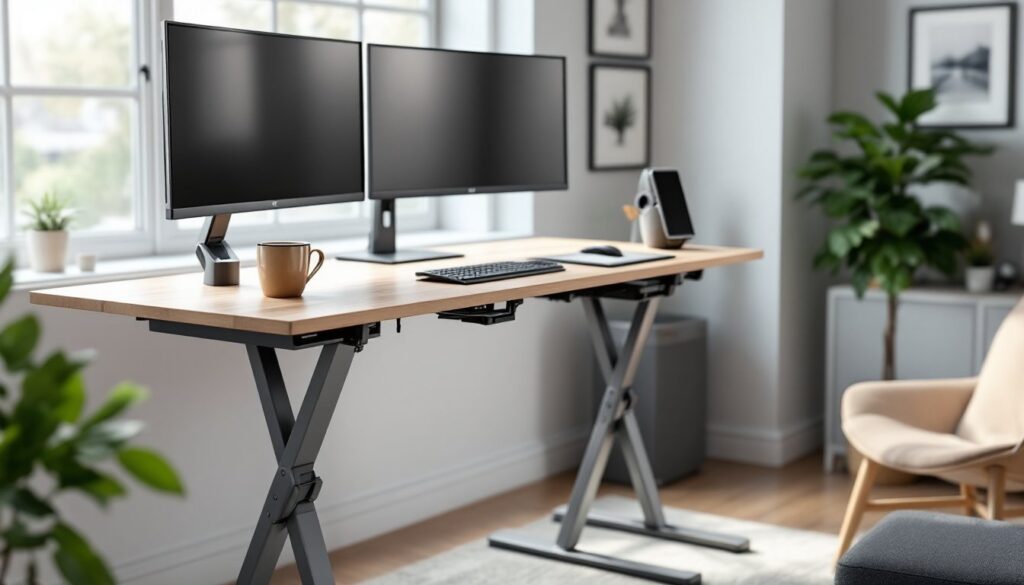
The frame matters most. Single-motor desks with a C-frame base (legs on one side) tend to wobble more at extreme heights, especially with asymmetrical load (one heavy monitor off-center). Dual-motor desks with legs on both ends stay rock-solid. Crossbars between legs also matter, they distribute stress and prevent racking (when the frame twists under load). Read reviews that specifically mention stability at full height: this is where cheap desks fail.
Top Categories of Standing Desks Available on Amazon
Amazon’s standing desk selection breaks into four main types, each solving a different problem.
Budget Manual Desks ($150–$400) use hand cranks or lever systems. They’re solid for basic height adjustment but require elbow grease. Brands like Monoprice and some generic sellers dominate this tier. They work for someone who adjusts height once or twice a day, not every hour.
Mid-Range Electric Desks ($400–$800) add motorized height adjustment with one or two memory presets. Brands like Flexispot and ApexDesk hit this sweet spot, reliable frames, dual motors, and decent build quality without the premium price tag. Most home office users land here.
Premium Electric Models ($800–$1,500) include advanced features: three to four memory presets, soft-start motors (less jarring), integrated cable management, and stronger frames rated for 200+ pounds. Popular choices include Fully and Uplift, though prices vary by desktop size and features.
Sit-Stand Converters ($100–$300) are desktop riser units that sit on top of an existing desk, not replacements. They’re perfect for renters or anyone who doesn’t want to replace their current setup. Height range is limited, but they’re portable and solve the problem cheaply. Search “standing desk converter Amazon” to find these.
Electric vs. Manual Standing Desks: Which Is Right for You?
The electric-or-manual decision hinges on budget, frequency of use, and physical capability.
Manual desks require 20–40 turns of a hand crank per adjustment (or a few lever pumps, depending on design). For someone adjusting once or twice daily, maybe shifting positions mid-morning and mid-afternoon, this is fine. The downsides: if arthritis or upper body weakness is a factor, cranking becomes a barrier. Adjusting between sitting and standing takes 60 seconds instead of three. Some users find themselves anchored in one position because the friction of manual adjustment discourages switching.
Electric desks eliminate the friction. A button press takes three seconds. This matters because research suggests the health benefits of standing desks come from movement and position changes, not from standing all day. Electric models encourage switching every 30 to 45 minutes without the thought cost. The trade-off is price (typically $200–$400 more upfront) and a slight increase in complexity (motors can fail, though quality brands warranty them for three to five years).
For most remote workers and DIYers, an electric model in the $500–$700 range justifies the cost through actual behavior change, people use them more. But if budget is tight or adjustment happens infrequently, a quality manual desk works fine. Avoid ultra-cheap electric models under $300: the motors tend to fail within two years.
How to Choose Based on Your Workspace and Budget
Start with constraints: desktop size needed, available floor space, and true budget ceiling.
Measure twice. Depth (how far back the desk extends) matters as much as width. Most standing desks range 24–30 inches deep. If a monitor, keyboard, and mouse need to fit comfortably, aim for at least 28 inches. Width depends on workload, freelance writers and programmers often prefer 48–60 inches: casual users can manage 40 inches. Check doorways and hallways: oversized desktops ship flat but still need to fit through the house.
Budget tiers make sense:
- Under $300: Manual frame with simple adjustment. Fine for part-time use or tight budgets, but expect less stability and fewer features.
- $300–$600: This is the practical middle ground. Electric models from reliable brands (Flexispot, ApexDesk, Hillmont) offer solid frames, dual motors, and real-world durability. Best value for most users.
- $600–$1,000: Premium features (four memory presets, integrated power strips, stronger frames). Worth it if adjusting height multiple times daily or carrying heavy work (large monitors, equipment).
- $1,000+: Boutique brands, premium aesthetics, and extended warranties. For most DIY home offices, overkill.
Assembly is part of the cost. Most standing desks arrive in two or three boxes: frame and desktop surface (or frame only if bringing an existing tabletop). Assembly takes 45 to 90 minutes with basic tools (hex key, screwdriver). Instructions vary in clarity: read reviews mentioning assembly before ordering. Some sellers offer white-glove delivery and assembly for an extra fee, which makes sense if mobility is limited.
Return policies matter. Amazon’s 30-day return window is standard, but some third-party sellers have stricter policies. Check before buying, especially on items over $500.