Table of Contents
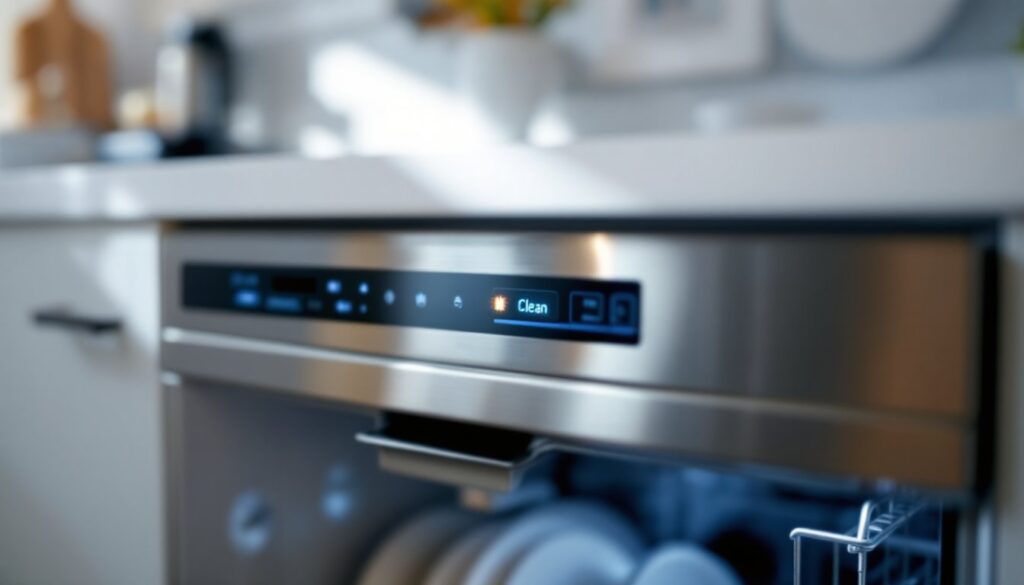
ToggleA KitchenAid dishwasher clean light blinking is never a welcome sight, especially when you’ve just loaded a full wash. That steady or intermittent blinking isn’t just an annoying indicator: it’s your machine’s way of flagging a real issue that needs attention. Whether the clean light is flashing once, blinking seven times, or continuously cycling on and off, the root cause matters. The good news? Most KitchenAid dishwasher lighting and cycle issues can be diagnosed at home, and many are fixable without calling a technician. This guide walks through what those blinks actually mean, common culprits behind the problem, and straightforward troubleshooting steps to get your dishwasher running normally again.
Key Takeaways
- A KitchenAid dishwasher clean light blinking indicates an error or interruption in the wash cycle, not a defect, and is a diagnostic feature designed to alert you before a bigger problem develops.
- The most common causes of a blinking clean light include door latch issues, incomplete water fill, clogged filters, blocked spray arms, and sensor malfunctions that prevent proper cycle completion.
- Simple troubleshooting steps like resetting the dishwasher, inspecting the door latch, cleaning filters and spray arms, and running a cleaning cycle can resolve most KitchenAid dishwasher clean light blinking issues without professional service.
- Specific blinking patterns, such as clean light blinking 7 times, correspond to model-specific error codes found in your user manual or KitchenAid’s documentation to pinpoint the exact problem.
- Regular maintenance including rinsing filters, cleaning spray arms, and running occasional cleaning cycles prevents many blinking light problems before they occur and extends appliance reliability.
- If troubleshooting doesn’t resolve the issue, electrical faults, failed control boards, stuck inlet valves, or corroded float switches require professional repair to avoid safety risks and appliance damage.
Why Your KitchenAid Dishwasher’s Clean Light Is Blinking
The clean light on a KitchenAid dishwasher serves as a status indicator, it tells you when a cycle is complete and the dishes are clean. When that light starts blinking instead of holding steady, your dishwasher is signaling that something has interrupted the normal wash sequence or prevented the cycle from finishing properly.
Unlike a solid “clean” indicator, a blinking clean light means the dishwasher detected an error or obstacle during operation. This could be anything from a simple mechanical hiccup to a sensor malfunction. The pattern of the blink, whether it’s fast, slow, or occurs a specific number of times, sometimes offers a clue to the underlying issue. For example, if your KitchenAid dishwasher clean light blinking 7 times, that specific flash count might correspond to a particular error code in your model’s diagnostic system.
KitchenAid dishwashers are generally well-engineered, but like any appliance, they respond to real-world wear, water quality, and user habits. The blinking light isn’t a defect: it’s a safety and diagnostic feature designed to alert you before a bigger problem develops.
Common Causes and What They Signal
Several situations trigger a KitchenAid dishwasher flashing clean light. Pinpointing the cause is the first step toward a fix. Here are the most common culprits homeowners encounter.
Wash Cycle Incomplete or Door Opened
If the door opens during a wash cycle, whether you deliberately crack it to add a forgotten dish or it pops open due to a latch issue, the dishwasher halts immediately and the clean light often begins blinking. A KitchenAid dishwasher stuck on clean state usually means the cycle detected an interruption.
The door latch is the mechanical component responsible for holding the door shut and signaling the control board that the machine is sealed. A worn latch, misaligned door, or even accumulated debris around the latch can prevent a proper seal. When the door isn’t fully engaged, the dishwasher refuses to restart the cycle and instead flashes the light to alert you. Check that the door closes firmly with an audible click and that nothing blocks the latch mechanism.
Water level issues can also interrupt a cycle. If the dishwasher fills abnormally or the water drains too quickly, the float switch (a small buoyant device that monitors water level) may trigger a pause. The result: a KitchenAid dishwasher keeps beeping and flashing clean, with repeated tones signaling the pause state.
Sensor or Filter Issues
Modern dishwashers rely on turbidity sensors and filter systems to monitor water clarity and cycle progress. When a sensor detects excessive cloudiness or particle buildup, it can prematurely signal that the cycle is “clean” and halt operation, triggering the blinking light.
The filter basket, located at the base of the wash chamber, catches food particles and debris. If this filter becomes clogged, water cannot circulate freely, and the dishwasher’s sensors register poor cleaning performance. A blocked filter forces the machine to restart or abort the cycle, causing KitchenAid dishwasher lights flashing repeatedly. Regular filter cleaning prevents this and improves wash quality.
Sprayer arm blockages are equally problematic. If mineral deposits, food particles, or hard water buildup clog the spray nozzles, water pressure drops, and the dishwasher struggles to clean effectively. Low spray pressure confuses the sensor into thinking the cycle is failing, leading to the KitchenAid dishwasher blinking clean light issue.
Troubleshooting Steps to Stop the Blinking
Before calling for service, try these diagnostic and corrective steps. Most require only basic household tools and take less than 30 minutes.
Step 1: Reset the Dishwasher
Start simple: power cycle the unit. Close the door, locate the control panel, and press the “Start/Cancel” button or hold it for 3–5 seconds to halt the current cycle. Wait one minute, then press “Start” again to begin a fresh cycle. This clears minor software glitches that sometimes cause the KitchenAid dishwasher clean light blinking issue.
Step 2: Inspect the Door Latch
Open the door fully and examine the latch mechanism on the door edge and the strike point on the dishwasher frame. Look for cracks, warping, or visible debris. Wipe both surfaces with a damp cloth to remove dust and dried food residue. Close the door gently: it should engage with a firm click. If the door feels loose or the click is weak, the latch may be worn and require replacement.
Step 3: Clean the Filter and Spray Arms
Remove the lower dishrack and locate the cylindrical filter basket at the tank bottom. Twist it counterclockwise and lift out. Rinse the filter under warm running water, using a soft brush to dislodge stubborn particles. Replace it and twist clockwise until snug.
Next, remove both spray arms (lower and upper). Check each nozzle for blockages by holding it up to a light source: you should see clear holes. If clogged, soak the arms in a bowl of white vinegar for 15 minutes, then use a toothpick to carefully clear each nozzle. Rinse thoroughly and reinstall.
Step 4: Run a Cleaning Cycle
Place a dishwasher cleaner, such as a citric acid–based tablet or liquid, in the detergent dispenser. Run a full hot-water cycle with no dishes inside. This dissolves mineral buildup on sensors and interior surfaces. After the cycle completes, check whether the clean light still blinks.
Step 5: Check Water Inlet and Fill Level
If the dishwasher runs but the clean light keeps flashing, the fill level may be incorrect. Listen carefully during the fill phase: you should hear water entering for 30–60 seconds. If the water trickles weakly or stops prematurely, the inlet valve or float switch may be stuck. The inlet valve, located behind the front panel, requires a multimeter check and possible replacement by a technician. The float switch is a small lever in the sump: verify it moves freely and isn’t stuck by hardened detergent residue.
Step 6: Consult the Model-Specific Error Code List
If your dishwasher displays a specific blinking pattern (e.g., clean light blinking 7 times), count the blinks and consult your user manual or KitchenAid’s online documentation. Different models assign different meanings to flash patterns. A 7-blink sequence in one model might indicate a sensor fault, while in another it signals a drainage issue. Matching the flash count to your model’s diagnostic chart often pinpoints the exact problem.
When to Call a Professional Technician
Some issues require professional repair. If you’ve completed the steps above and the KitchenAid dishwasher keeps beeping and flashing clean, or the clean light remains blinking even though troubleshooting, it’s time to call a certified technician.
Electrical faults, such as a failed control board, faulty sensor, or damaged wiring, cannot be safely diagnosed or repaired without proper tools and training. A dishwasher pumps water and generates heat: attempting to repair electrical components without expertise risks damage to the appliance or injury to yourself.
If the door latch is cracked or warped, the inlet valve is stuck, the pump isn’t draining, or the float switch is corroded, a technician has the specialized parts and diagnostic equipment to replace components correctly. Many warranty claims require professional service anyway.
Contact KitchenAid’s customer support or a certified repair shop in your area. Bring your dishwasher model number (usually on the back or inside the door frame) and a description of when the blinking clean behavior started. Most repairs cost between $150 and $400, depending on the component and labor rates.
Conclusion
A KitchenAid dishwasher clean light blinking is fixable in most cases. Start with simple resets, latch inspection, and filter cleaning, the majority of at-home fixes solve the issue. If the light continues to blink after troubleshooting, a sensor, valve, or control board fault likely requires professional service. Regular maintenance, rinsing filters, cleaning spray arms, and running occasional cleaning cycles, prevents many blinking light problems before they occur. Keep your dishwasher running reliably and your dishes spotless by addressing warning signals promptly.